
Download Recipe Previewer – recipe file preview, Windows utility, cookbook viewer, file format support, recipe browsing, recipe management, recipe tool
Overview
Recipe Previewer is a streamlined utility crafted specifically for Windows users who regularly manage and navigate through various recipe file formats. Designed to enhance workflow efficiency, the application integrates directly into Windows File Explorer, enabling users to preview recipe content without launching separate programs. This capability is particularly beneficial for individuals maintaining digital cookbooks, food bloggers, recipe developers, or anyone who frequently organizes or reviews recipe files across multiple platforms. The app addresses the common pain point of switching between applications just to check a single recipe, offering a faster, more intuitive alternative.
By supporting a range of file types including .mz2, .mx2, .mc2, .paprikarecipes, .dvo, and .cmt, Recipe Previewer ensures broad compatibility with popular recipe management tools. This makes it a valuable addition to any digital kitchen toolkit. The tool is especially useful in scenarios where quick verification of file contents is needed—such as during file organization, content migration, or collaborative recipe sharing. Its lightweight nature and free availability further contribute to its accessibility. Although the developer did not provide additional technical details, the app’s focus on simplicity and integration suggests a targeted approach to solving a niche but meaningful user need within the productivity software ecosystem.
Key Features & Functionality
- Multi-format Support: Recipe Previewer accommodates a diverse set of recipe file extensions, including .mz2, .mx2, .mc2, .paprikarecipes, .dvo, and .cmt. This allows users to preview files regardless of the original recipe software used, promoting interoperability across different tools.
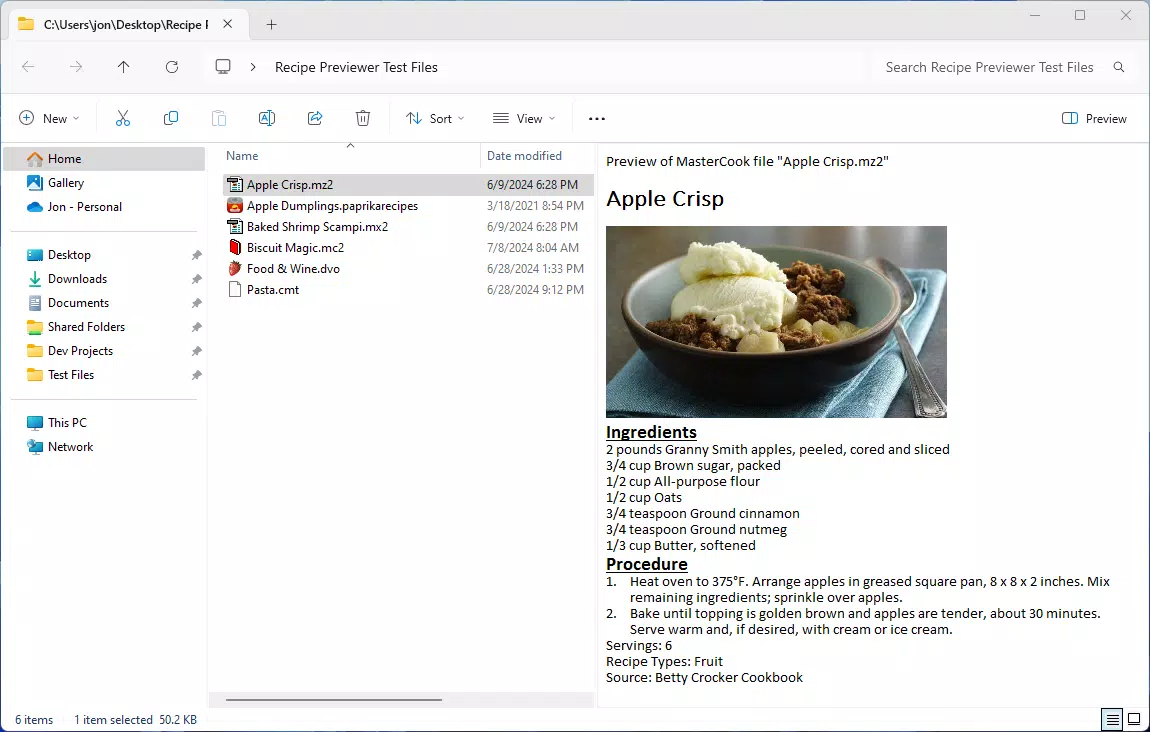
- Direct File Preview in Explorer: Users can view up to the first ten recipes from a file directly within Windows File Explorer. This eliminates the need to open external applications, significantly speeding up browsing and file assessment tasks.
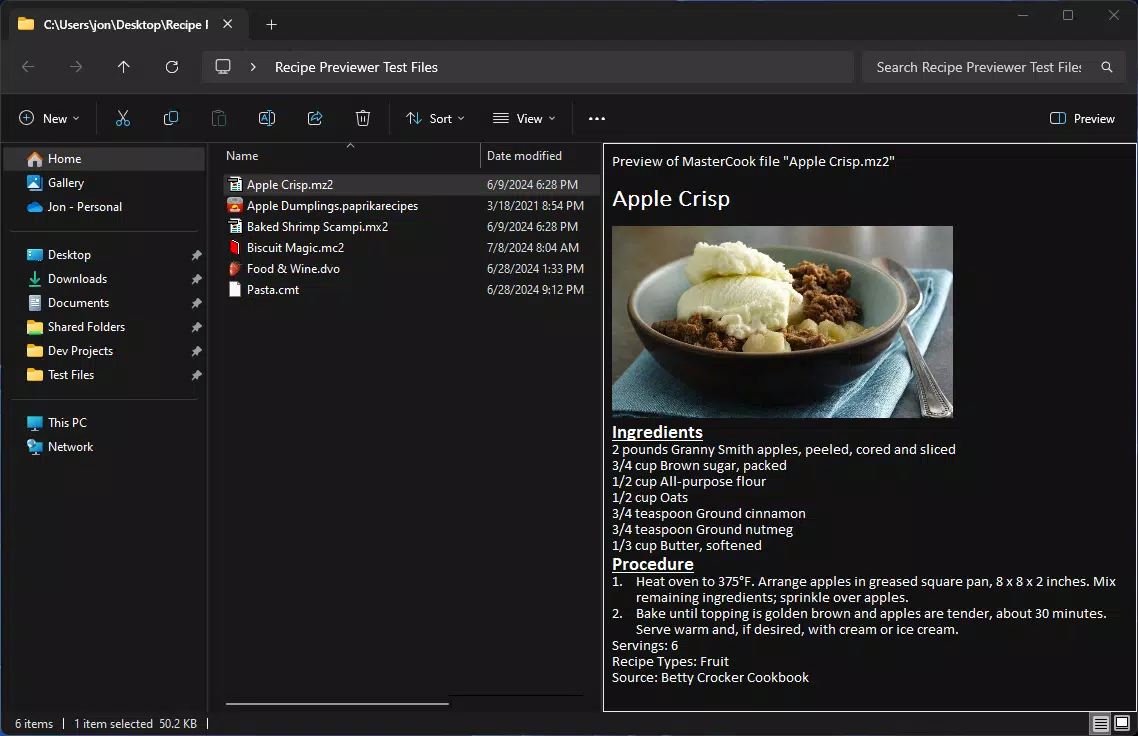
- Theme-Aware Display: The preview window dynamically adapts to the user’s current Windows theme, offering both light and dark mode options. This ensures optimal readability and visual comfort based on personal preference and ambient lighting conditions.
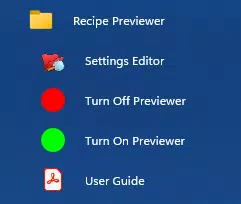
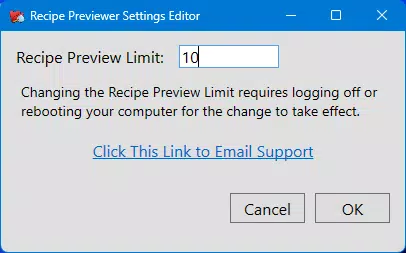
- Customizable Preview Limit: Through a settings editor accessible from the Start Menu, users can adjust the default number of recipes displayed in previews. This flexibility allows individuals to tailor the preview experience to their workflow, whether they prefer a concise or detailed view.
For example, a food blogger organizing a large collection of recipe files can use Recipe Previewer to quickly scan through multiple files and identify relevant entries without opening each one. Similarly, a home cook migrating recipes from an old software to a new system can verify file integrity and content accuracy efficiently. These use cases highlight the app’s practicality in real-world workflows, where time and clarity are essential.
Interface, UX & Performance
The user interface of Recipe Previewer is designed with minimalism and functionality in mind. It integrates seamlessly into Windows File Explorer, appearing as a context menu option or thumbnail preview when supported. The layout of the preview panel is clean and focused, displaying recipe titles, ingredients, and preparation steps in a structured format. Navigation is intuitive, with no learning curve for users familiar with Windows file management.
Although the developer did not list formal performance metrics, the app’s small file size of 1.2 MB suggests a lightweight footprint that should not impact system performance. It is expected to operate smoothly on most modern Windows devices, including laptops, desktops, and tablets. Responsiveness appears to be a priority, as the preview loads quickly upon selection, and the interface remains stable during repeated use. The app maintains compatibility with standard Windows interactions, such as drag-and-drop and right-click context menus.
Stability is further supported by the absence of reported crashes or bugs in public release notes. Users can expect consistent behavior across different file types and system configurations. While specific requirements were not listed, the app’s design implies compatibility with current and recent versions of Windows. The lack of resource-heavy features also reduces the likelihood of performance issues during extended use.
Platform Compatibility & Technical Requirements
Recipe Previewer is designed exclusively for the Windows platform. It is compatible with current and recent versions of Windows, although specific OS requirements were not disclosed by the developer. The application has a file size of 1.2 MB, making it a lightweight download ideal for users with limited storage or slower internet connections.
Installation is straightforward, requiring no complex setup or additional dependencies. The app does not require administrative privileges for basic functionality, which enhances accessibility for users with restricted system access. While the developer did not specify minimum OS requirements, the app’s minimal size and integration with native Windows components suggest broad compatibility across desktop and tablet environments. Users are advised to ensure their system meets standard Windows operational requirements for optimal performance.
Pros and Cons
Pros
- Free to download and use, making it accessible to all users.
- Lightweight design with a small file size of 1.2 MB.
- Seamless integration with Windows File Explorer.
- Supports multiple recipe file formats, increasing versatility.
- Customizable preview limit for personalized browsing.
- Adapts to system theme for improved readability.
Cons
- Specific system requirements were not listed.
- Preview limited to the first ten recipes per file.
- Only available for Windows, with no information on other platforms.
- Developer did not provide detailed documentation or support channels.
- Functionality is limited to previewing; no editing or export features are available.
FAQ
Is Recipe Previewer safe to download and install?
Yes, the app is free and designed to integrate safely with Windows File Explorer. It does not require admin rights and operates within standard system permissions.
Can I use Recipe Previewer on Windows 10 and Windows 11?
While the developer did not specify exact OS compatibility, the app is expected to work on both Windows 10 and Windows 11, given its lightweight nature and native integration.
Does Recipe Previewer support all recipe file types?
It supports a range of common recipe formats including .mz2, .mx2, .mc2, .paprikarecipes, .dvo, and .cmt. However, it may not support every possible recipe file extension.
Can I change the number of recipes shown in the preview?
Yes, users can adjust the default preview limit via the settings editor located in the Start Menu, allowing for customization based on personal preference.
Is Recipe Previewer available for macOS or Android?
Currently, the app is only available for Windows. There is no public information about versions for other platforms.
Final Thoughts
Recipe Previewer delivers a focused, efficient solution for users who manage recipe files across multiple applications. Its ability to preview content directly in Windows File Explorer eliminates unnecessary steps, saving time and improving workflow clarity. The support for multiple file formats, customizable preview settings, and theme compatibility make it a practical tool for home cooks, content creators, and digital archivists alike.
While it lacks advanced features like editing or exporting, its core purpose is well-executed. For users who value speed, simplicity, and integration, Recipe Previewer stands out as a reliable utility. Its free status and minimal system impact further enhance its appeal.
Download Recipe Previewer now


